
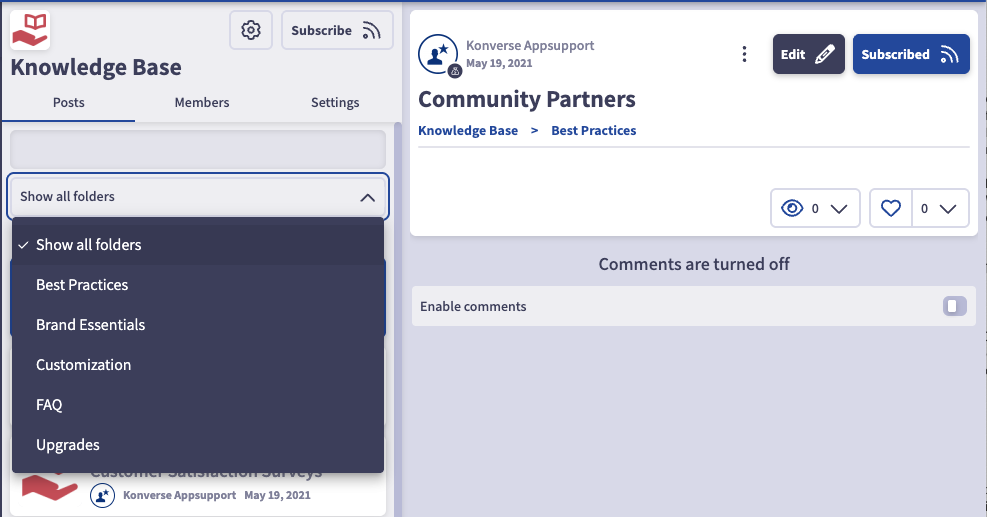
You may wish to create a view of a room in a spreadsheet format, vs the traditional room view. For example, below if a view of a standard room/displaying all folders:
And here is the same room in a spreadsheet format:
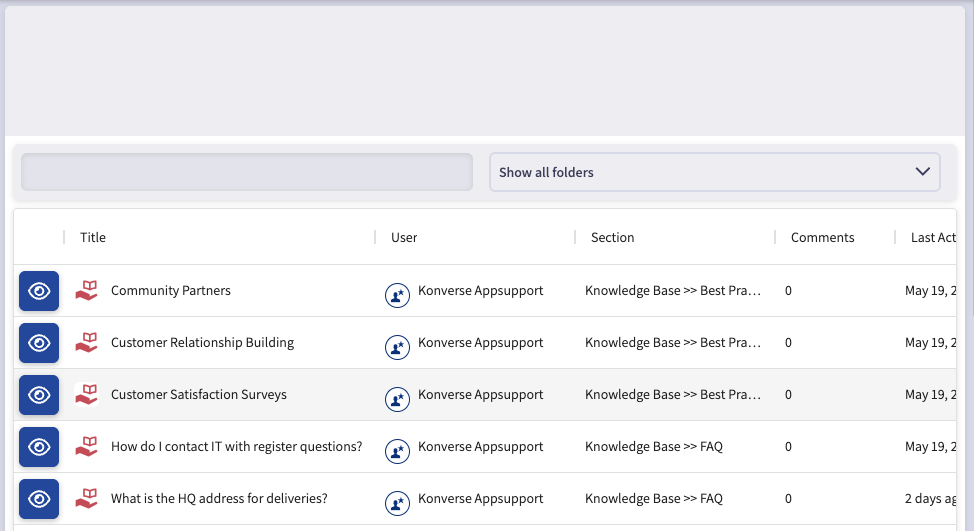
From the spreadsheet format, you can search the posts from the top left search bar, narrow down results based on the folder and view the full post by clicking on the eye icon (to the left).
To create this spreadsheet view, locate the "plugins" by searching in the "find rooms" search bar in the left hand navigation. Click on "New Link", set your security on who can view the link, add a label (e.g. Knowledge Base), then click on "show more."
Under advanced link settings, uncheck the box next to "Is it external link?".
Under "Use CustomRouteComponent ?" select "PostsSpreadsheet".
Then in the room ID field under "Posts Spreadsheet" add the room ID.
To locate the room ID, click into the room and look at the URL. The URL will look like this: https://enterprisedemo.konverse.com/rooms/146005
In this example, the room ID is 146005. Add your room ID to the Posts Spreadsheet field.
Your spreadsheet view is now ready and will automatically appear (like a room) at the end of the left hand navigation. You may wish to move this link on the left hand navigation, and into the hidden category if you are moving this into a collection.